The Betwaa app works seamlessly on both Android and iOS. Select your device below to get started.
The Betwaa Android app is available as a direct APK download — quick to install and easy to use.
IPhone and iPad users can easily download the Betwaa app directly from the App Store.
Please Note: You can also play directly in your browser. Even without downloading the app, visiting betwaa.onl on your mobile browser gives you access to all features.
Smartphones have become an essential part of everyday life. In Bangladesh, people now handle most things on mobile — from shopping to entertainment. That's exactly the reality Betwaa built its mobile app around. The goal is simple: deliver the best gaming experience wherever you are.
The moment you open the Betwaa app for the first time, the care put into its design is immediately apparent. The interface is clean, navigation is intuitive, and games load fast. Everything displays properly on smaller screens, and buttons are easy to tap. Many platforms fall short on this front — Betwaa has clearly paid close attention to it.
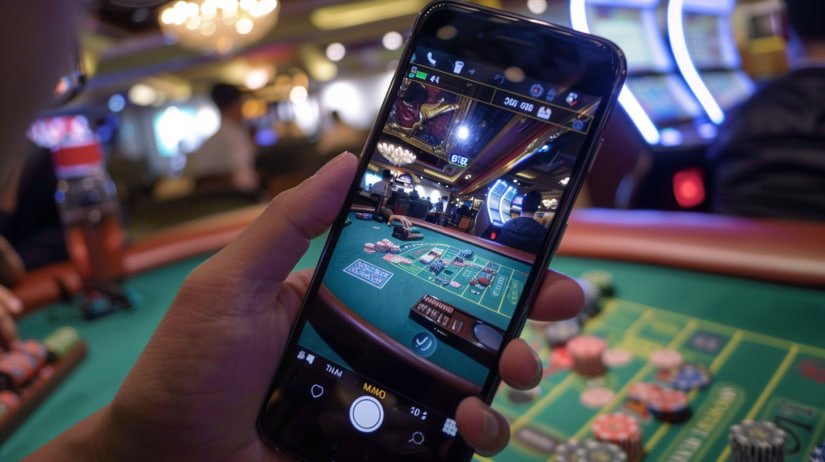
For Android users, Betwaa is available as an APK file. While it's not listed on the Google Play Store, it's completely safe to install. To do so, go to your phone's Settings and enable "Unknown Sources" or "Install Unknown Apps." It may seem unfamiliar at first, but the process is straightforward — and many popular apps are distributed the same way.
For iOS users, the Betwaa app is available on the App Store. You can search for it directly from your iPhone or iPad and download it right away. Having passed Apple's strict security review, the app is on the App Store — so there's nothing to worry about on the security front.
Security Guarantee: Only download the official Betwaa app from betwaa.onl or the official App Store. Avoid downloading from third-party sources.
On the performance side, the Betwaa mobile app is built with optimization in mind. Battery usage is kept in check, and RAM consumption is reasonable. The app holds up well even on slower connections — a deliberate choice that reflects the reality in Bangladesh, where internet speeds vary significantly across different areas.

Logging into the Betwaa app gives you everything the web version offers. Slots, betting, the game lobby, withdrawals — it's all there without ever opening a browser. Push notifications keep you updated on new bonuses, promotions, and special offers delivered straight to your phone.
One question that comes up often is: what's the difference between playing on the app versus the browser? The main difference is that the app loads a bit faster, delivers push notifications, and offers a smoother overall feel. That said, all games run just as well on the browser version — so if you'd rather not install the app, that works just as fine.
Data Usage: Data usage can be high when playing on mobile data. For the best experience, a WiFi connection is recommended — especially for live games or high-resolution slots.
The app's security is robust as well. You can log in with fingerprint or Face ID, cutting out the hassle of entering a password every time. Betwaa also supports Two-Factor Authentication, adding an extra layer of protection to your account.

Another standout feature of the Betwaa app is dark mode. It reduces eye strain when playing at night or in low-light conditions, and you can toggle it on or off anytime from Settings. Since many users in Bangladesh prefer gaming in the evening, this feature comes in especially handy.
The Betwaa app also makes deposits and withdrawals straightforward. You can transact via mobile banking or other digital payment methods without leaving the app. Transaction history, balance checks — everything is in one place, with no need to open a separate app or browser tab.
If you use Betwaa regularly, downloading the app is genuinely worth it. Once installed, everything is just a tap away. The app is also relatively lightweight, so it won't eat up much of your phone's storage. All in all, the Betwaa app is built with Bangladeshi mobile users in mind — and it shows.
Download the app or register directly in your browser to start playing.
Free Registration Already have an account? Sign in →If you run into any issues downloading or installing, our support team is ready to help.
Frequently Asked Questions (FAQ) About UsGo to your phone's Settings > Security and enable the "Unknown Sources" or "Install Unknown Apps" option.
Download the APK file from the official Betwaa site. Once the download is complete, it will appear in your notification bar.
Tap the downloaded APK file, hit "Install," and wait a few seconds.
Once installation is complete, tap "Open" or find the Betwaa icon on your home screen.
Already have an account? Log in. New here? Sign up for free and start playing.
| Features | Betwaa App | Browser |
|---|---|---|
| Loading Speed | ✓ Fast | Standard |
| Push Notifications | ✓ | ✗ |
| Biometric Login | ✓ | ✗ |
| Dark Mode | ✓ | Limited |
| Installation Required | Yes | ✓ No |
| Full Game Support | ✓ | ✓ |
| Offline Caching | ✓ | ✗ |
| Updates Automatic | ✓ | ✓ Always |
Downloading the app is the better choice for regular users. If you only play occasionally, the browser works just fine.
A complete gaming experience in one app — from slots to live betting.
500+ slots, Live Casino, and betting options — all in one app. Every game available on the web version is accessible in the app too.
Optimized code and smart caching technology keep game load times fast and screen transitions smooth.
SSL encryption, two-factor authentication, and biometric login keep your account and funds fully protected.
App users get access to exclusive bonuses and promotions available only through the app.
Deposit and withdraw with ease via mobile banking and digital wallets — directly from the app.
Live chat is built right into the app. Get support in Bengali, 24/7, without ever opening a browser.
Answers to the most frequently asked questions about downloading and installing the Betwaa app.